
As I migrate to full on JamStack and not wait on my cloud functions to fire up there are some normal considerations like kicking off builds. I don’t know when my data changes though… at the moment. So I’l just kick a build daily.
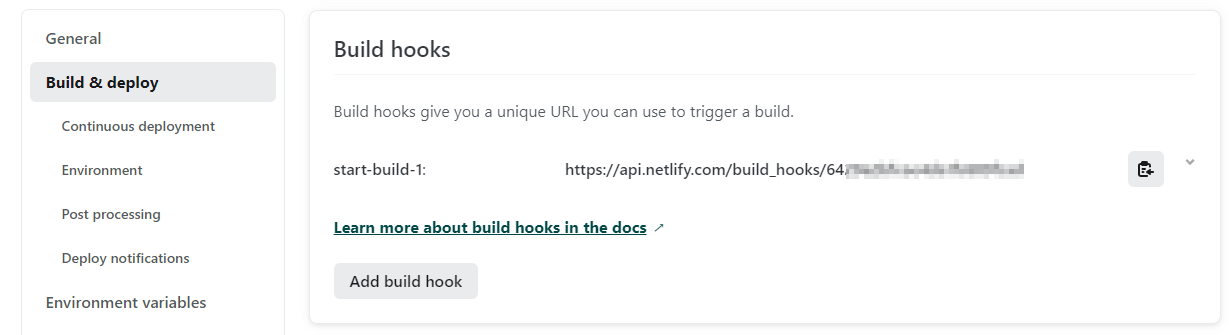
So I created a build hook in netlify:
TODO
And then I need to cron job that up with this pulumi config:
I already have some pulumi config in c# but you can’t do easy peasy lambdas there like you can in pulumi for typescript so why not use both?
Check this out:
Create your build URL:
First thing set some url to your secret config:
pulumi config set netlifyBuildUrl "https://api.netlify.com/build_hooks/YOUR_VALUE" --secret
import * as aws from "@pulumi/aws";
import * as pulumi from "@pulumi/pulumi";
import axios from "axios";

const config = new pulumi.Config();

config.requireSecret("netlifyBuildUrl").apply((url) => {
  const buildNetlify: aws.cloudwatch.EventRuleEventHandler = async (
    e: aws.cloudwatch.EventRuleEvent
  ) => {
    console.log(`posting to: ${url}`);
    await axios.post(url, {});
  };

  const buildNetlifySchedule: aws.cloudwatch.EventRuleEventSubscription =
    aws.cloudwatch.onSchedule(
      "buildNetlifySchedule",
      "cron(0 5 * * ? *)",
      buildNetlify
    );
});
Lessons Learned
It had been a few months since I’ve been in Pulumi and I’ve forgotten a few things:
- You can’t have any Pulumi
config.requireIN your cloud function, or you get cryptic errors - Node.js doesn’t have a native
fetch… ding me for using a 3rd party library I don’t care… I 💖axios - Forgot you have to
awaitand provide some payload{}when HTTP posting… maybe that is a quirk ofaxios - Messed up my cron time (see below) since I always Google cron and the first result wasn’t compatible with AWS
Time
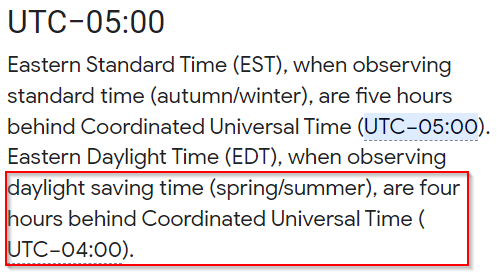
I chose the time 1am EST because my code groups by weeks and days so at the moment I only need builds daily.
I’m terrible with time conversions and I was wondering why it was running at 9pm?? I get the -5… Oh wait, it’s daylight savings time…
The Cloud
There are a million ways to pull this use case off. Could have used a 3rd party service. Could have had a windows scheduled task. Could have had a kubernets job. Could have had a VPS and cron job.
At this point in time, the solution I have is the easiest way I can think of. Also, it is the cheapest.
It took 40 lines, but that is just formatting. Look at how easy it is now:
- Don’t have to manually create a lambda zip, just write code (I think there are maintainability issues with this by mixing IAC and implementation code for bigger projects but not a concern right now)
- One command to “make it go”:
pulumi up -f(this could be automated in CI) - Secret handling is safe in git/Pulumi Cloud
- Don’t have to deal with permissions (Pulumi knows what IAM was needed)